Anime Soulborn Controls
Move, farm, open codes, and not lose the gift button under a mobile joystick.
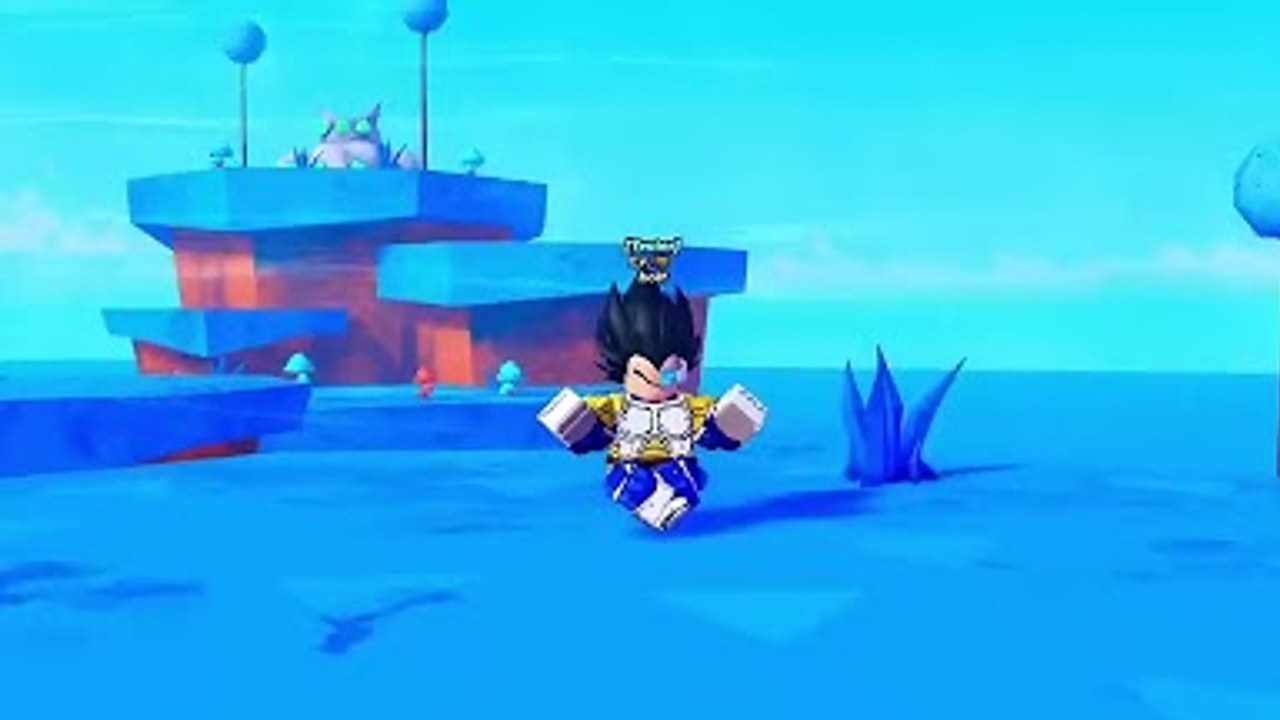
Anime Soulborn runs on Roblox for PC, mobile, tablet, and console. The combat is not a combo fighter. You move into NPC packs, let pets swing, tap or hold a farm input, and live in the HUD. This page is the control sheet for launch week. If a new hero form adds a skill key, we will add it here after it shows up in the live client — see how to evolve your hero.
PC
| Action | Default |
|---|---|
| Move | WASD |
| Jump | Space |
| Camera | Right mouse drag / mouse wheel |
| Farm / click | Left click or hold, depending on Auto System |
| Open menus | On-screen buttons (Shop, Pets, Codes, Evolve) |
| Chat | / |
Roblox shift-lock can help you stay facing a pack. It is not required. If pets attack behind you, turn the camera, do not run laps.
Keyboard players should click the codes field once before Ctrl+V. Chat focus will eat the paste.
Mobile and tablet
| Action | Default |
|---|---|
| Move | Left joystick |
| Jump | Jump button |
| Camera | Right-side drag |
| Farm | Right-side tap / auto if you own Auto System |
| Menus | Icon stack, usually left or top |
Problems we already expect:
- The gift / codes icon hides under the joystick in portrait. Rotate to landscape before you redeem — full path on how to redeem codes.
- Thumb drift walks you off a mesa. Plant the joystick, then tap farm with the other hand.
- UI scale: if the game exposes a slider, shrink HUD chrome so Shop and Codes are not the same hitbox.
Tablets in a stand should still use two thumbs. One-handed play is how you buy Auto System for 169 Robux.
Console
| Action | Typical bind |
|---|---|
| Move | Left stick |
| Camera | Right stick |
| Jump | A / Cross |
| Confirm | A / Cross |
| Menu | View / Touchpad / Menu |
| Farm | Right trigger or face button — check the on-screen prompt |
Open the codes keyboard from the text field, not from party chat. Console pastes fail when chat has focus. After redeeming, close the keyboard before you press the farm button or you will send “RELEASE” into chat.
HUD tour
From trailer and preview footage:
- Level tag over the head (Lv. 0 on a new account, higher after XP).
- Progress label near the bottom of the island shot in the official trailer.
- Right-side panels in preview captures that look like missions / quests.
- Shop somewhere on the left stack, including Robux passes.
If a panel covers your pack, collapse it. Souls per minute matters more than a mission tracker you can reopen later.
Auto System and Remote Control
Auto System (169 Robux, for sale) is the AFK farm toggle. Turn it on while standing in a pack, not while walking, or you will auto-swing at air.
Remote Control exists on the pass list but is off-sale. Do not hunt for it in Shop. If it returns, it usually means farm-from-another-tab. Until then, Auto System is the only official idle option.
Combat abilities
Until a form adds keys, assume there is no fighting-game string to memorize. If an evolve node unlocks Z/X/C or a mobile skill button, put that skill on a reachable slot and use it on clusters. There is no block, parry, or lock-on advertised in the description. If a YouTuber is waving a battlegrounds moveset, they are in the wrong game.
Accessibility and performance
- Drop graphics if the island stutters; pet pathfinding already chews mobile CPUs.
- Colorblind filters are Roblox-level, not Soulborn-level.
- Headphones are optional. This is a harvest loop, not a rhythm game.
When a patch remaps buttons, we will note it on release notes. If your farm key died after an update, rebind in Roblox’s own keybind menu first, then reinstall is a last resort.
Learn the HUD once, then go back to getting started and print souls. Controls are the smallest skill in Soulborn. Standing in the right pack is the real one.
Frequently Asked Questions
Quick answers for launch-week Anime Soulborn questions.
Is there a block or dash button?
Not in the advertised loop. Soulborn is a harvest sim. If a hero form adds a skill, it will show on the HUD.
Why does paste go into chat?
The chat bar has focus. Click the codes text field first.
Does Auto System need a keybind?
It is a shop toggle. Stand in a pack, enable it, and leave the joystick alone.
Can I play on console?
Yes. The experience lists PC, mobile, tablet, and console. Use the on-screen keyboard for codes.